Points to Note:
— Please note that withdrawal is prohibited for 2 hours after amending your login password.
Reset password using PC/Desktop
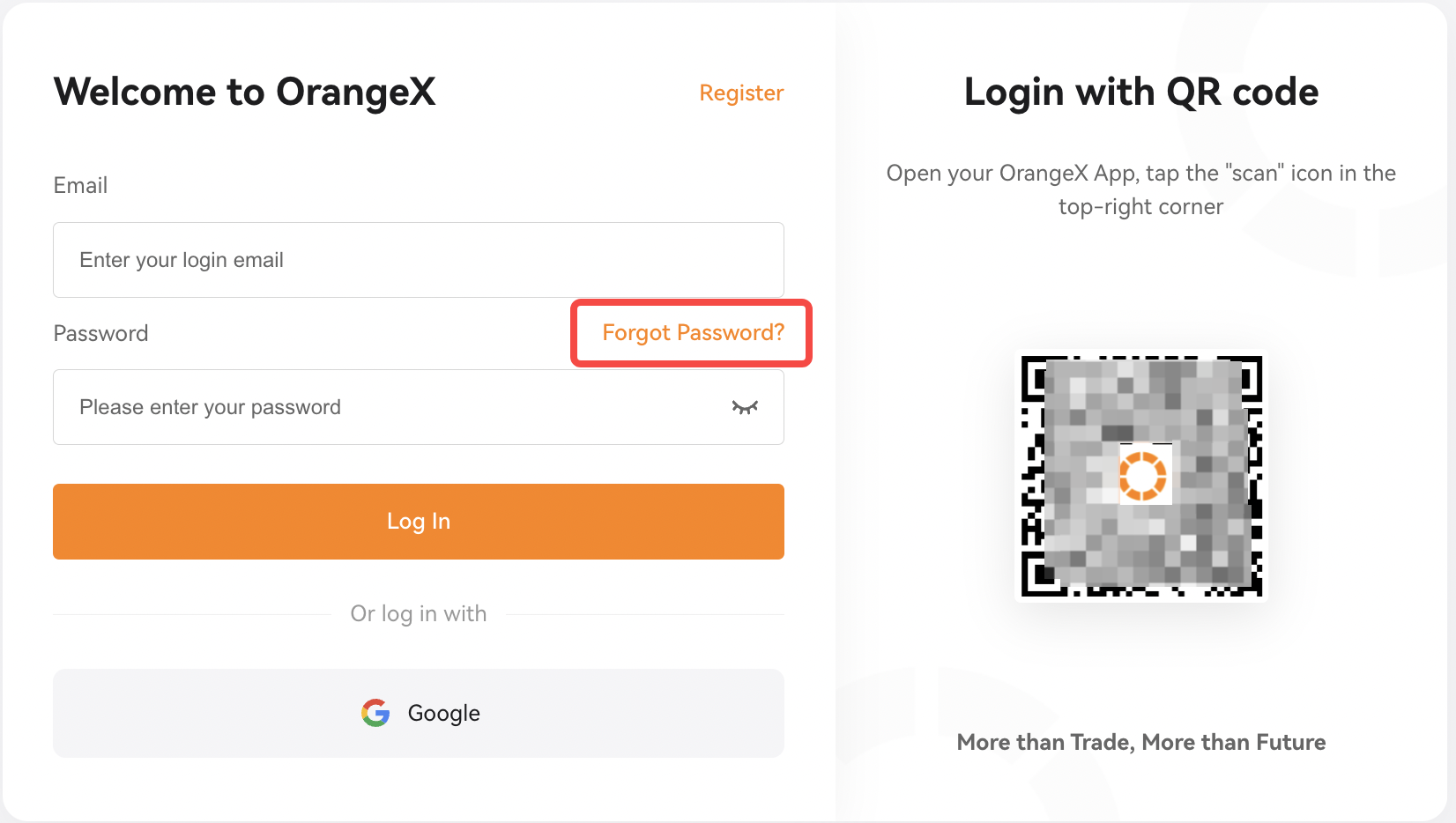
Step 1: Click on 'Forgot Password'. Then click 'Continue' after confirming the prompted notes.
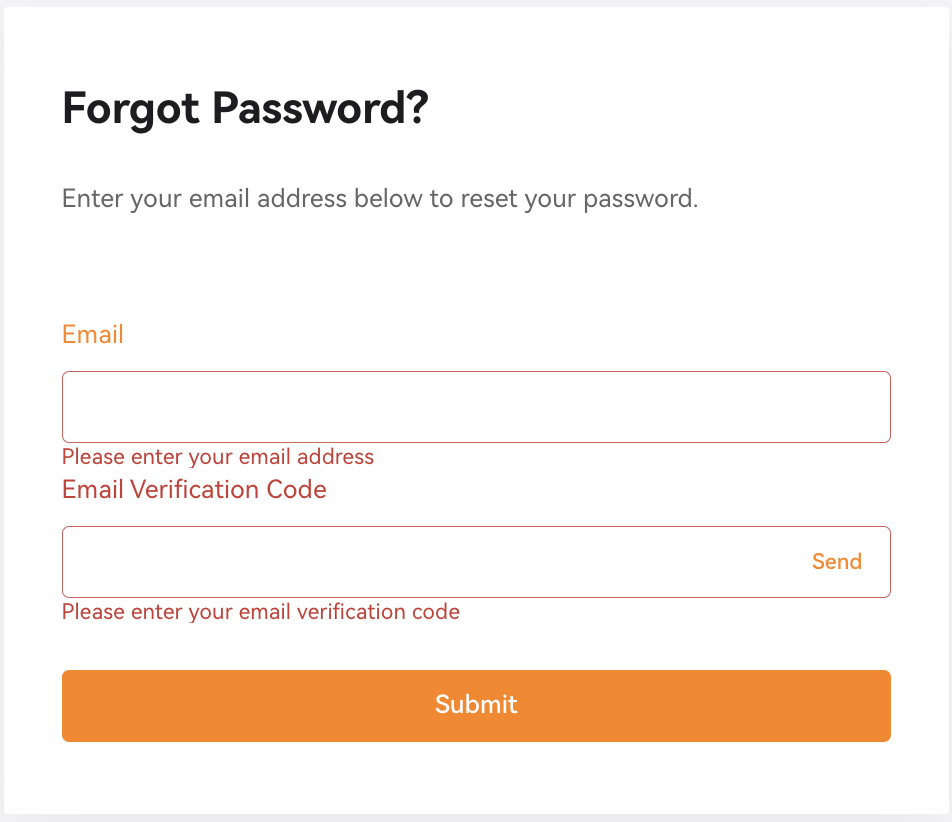
Step 2: Enter your account's registered email address and email verification code sent to your email address respectively. Click on 'Submit'
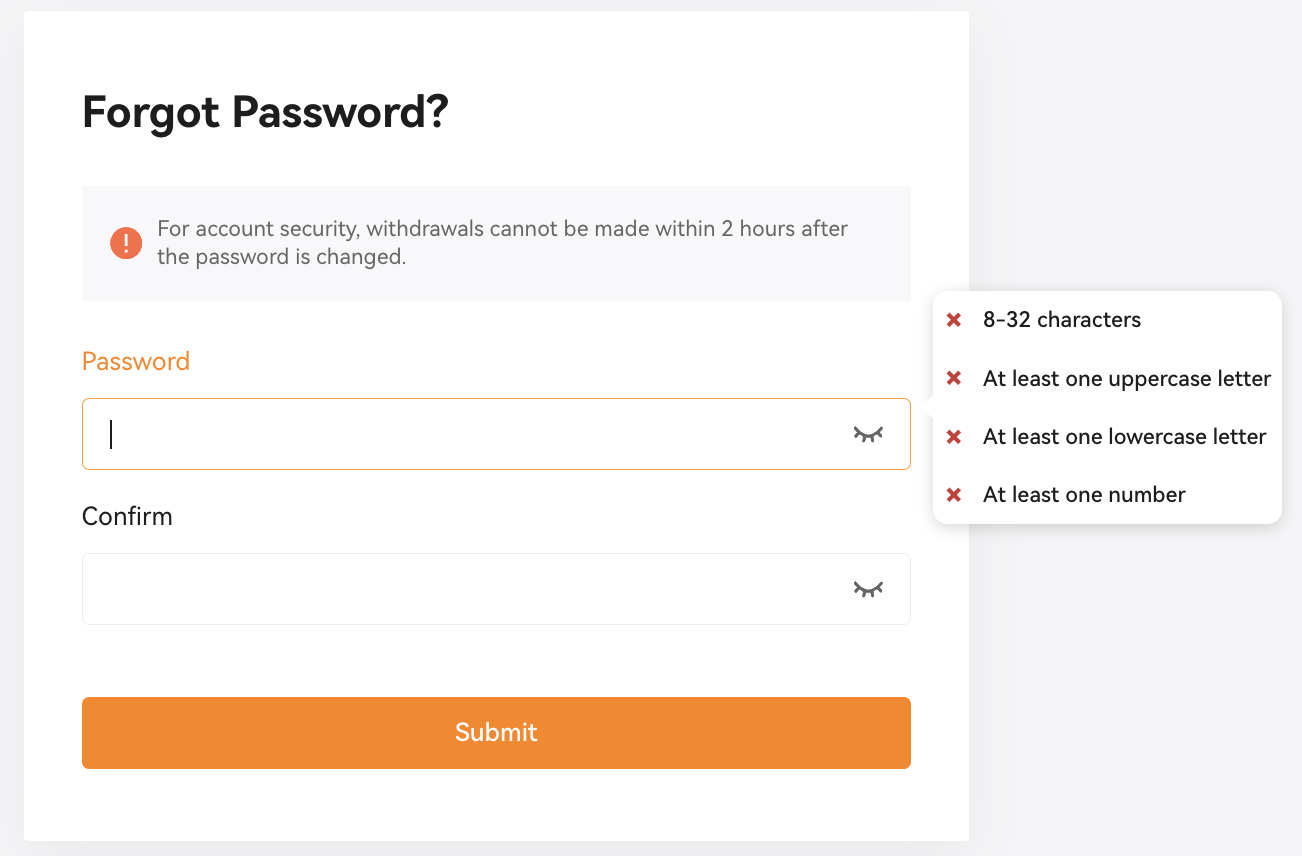
Step 3: Enter your new desired password and click on 'Submit'.
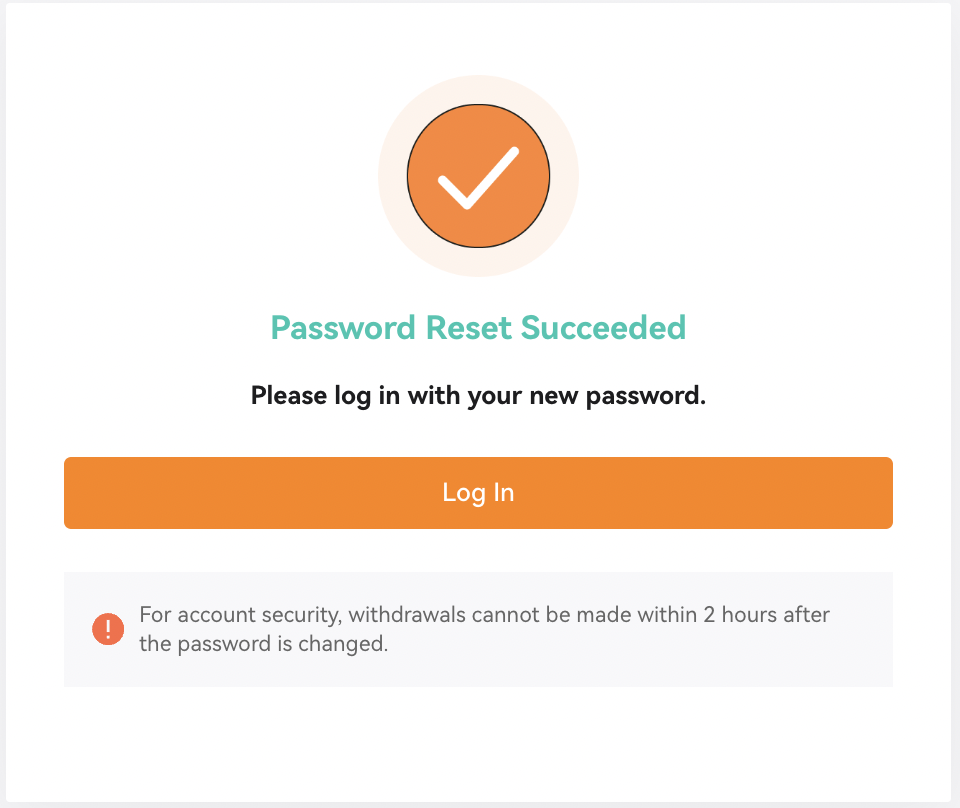
You have successfully reset your password. Now you can log into your account with new password.
Reset password using APP
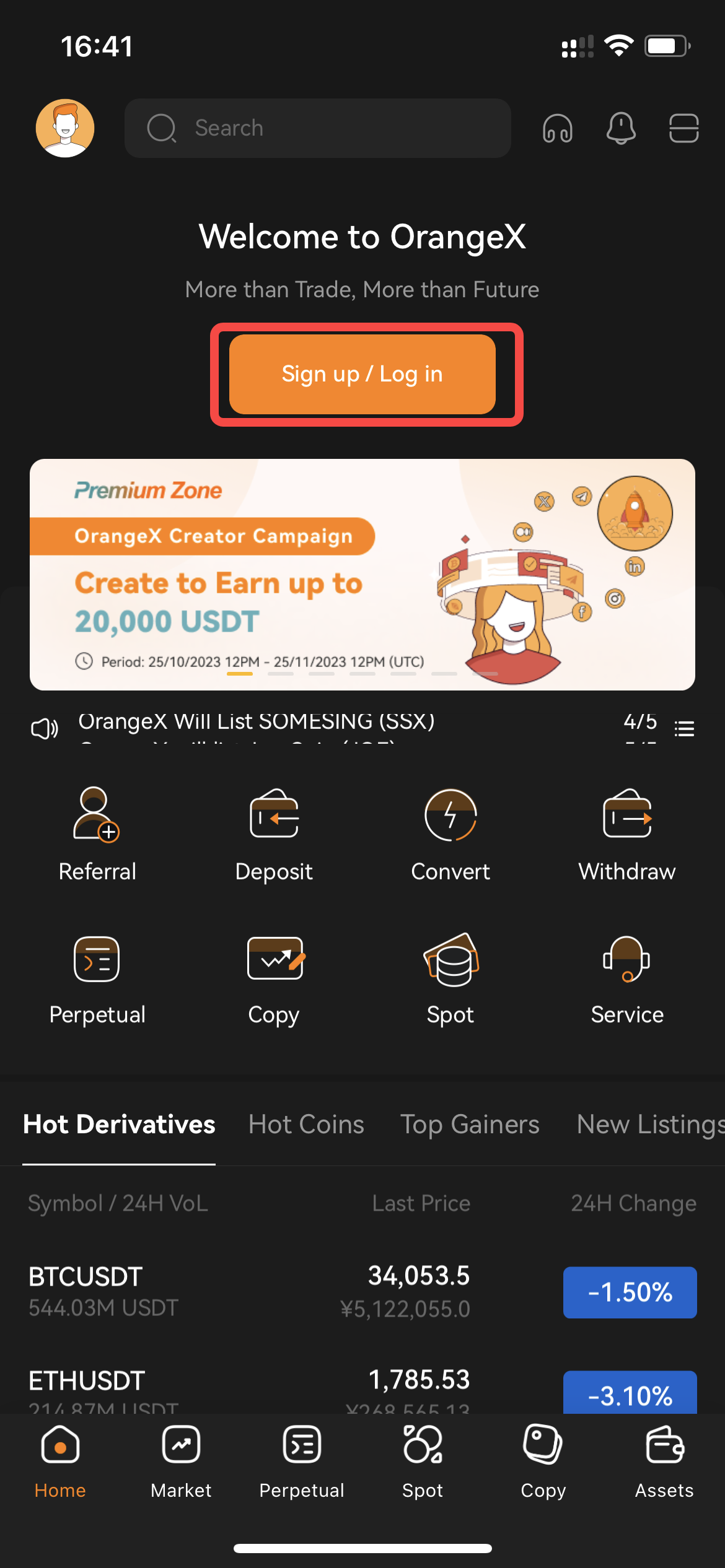
Step 1: Launch the OrangeX APP. Click on 'Sign up/Log in' button on the top of homepage.
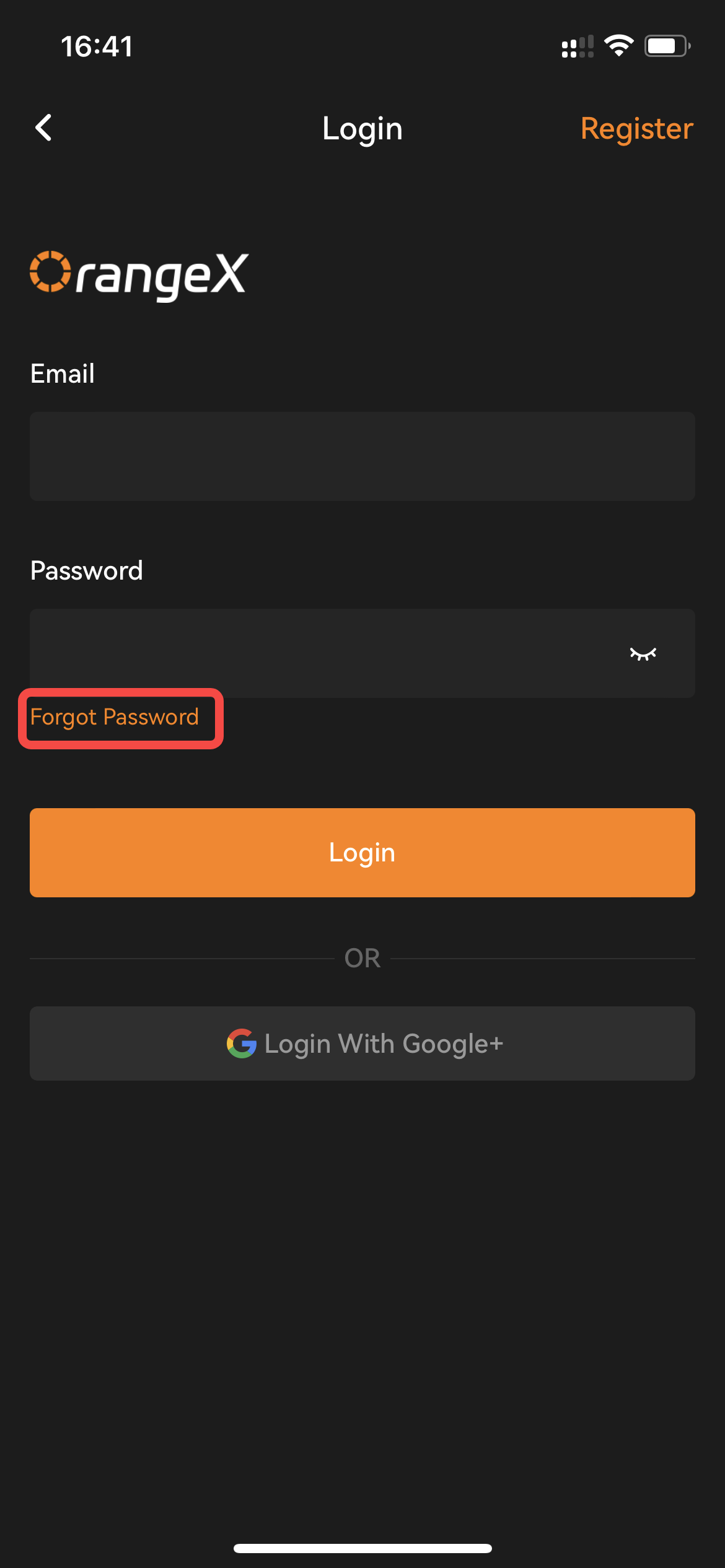
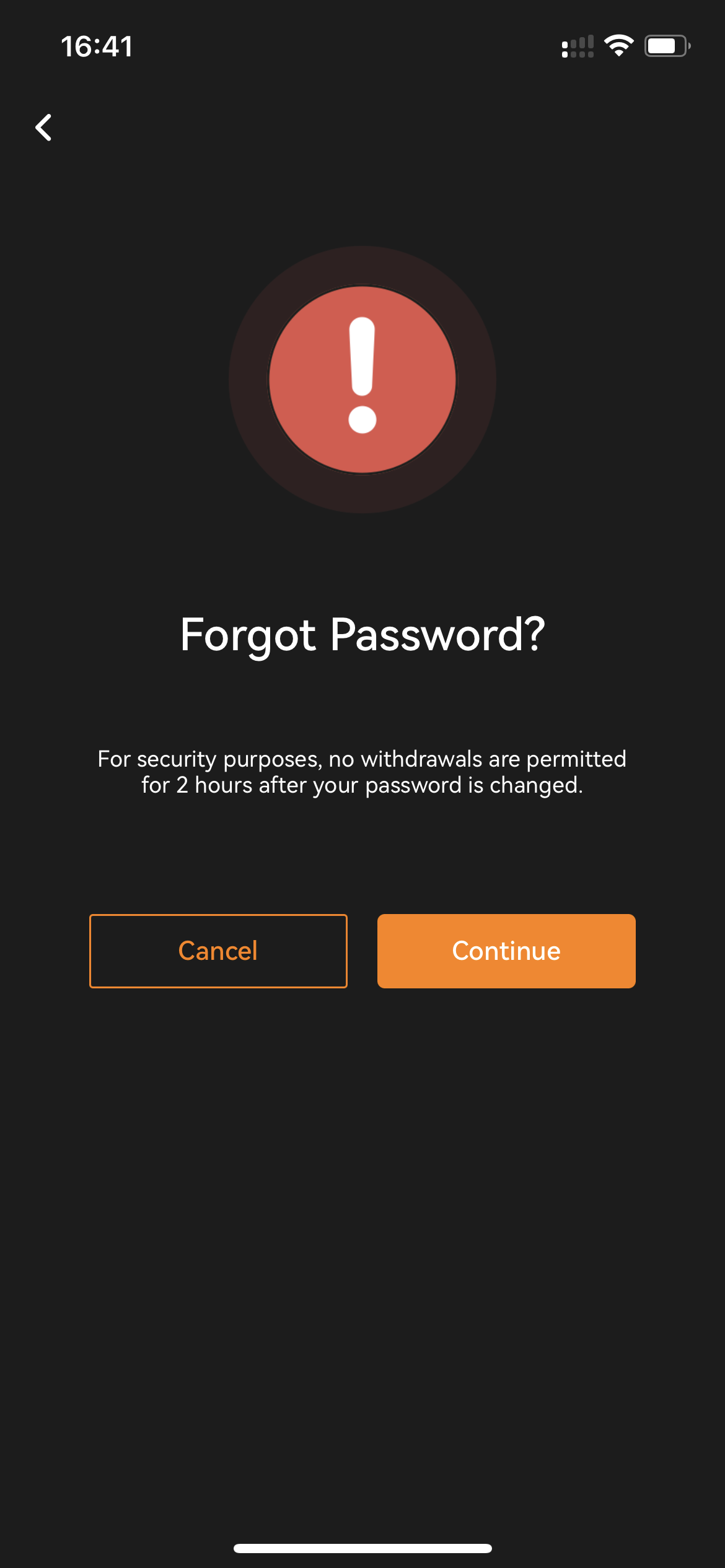
Step 2: Select the 'Forgot Password' button. Then click 'Continue' after confirming the prompted notes.
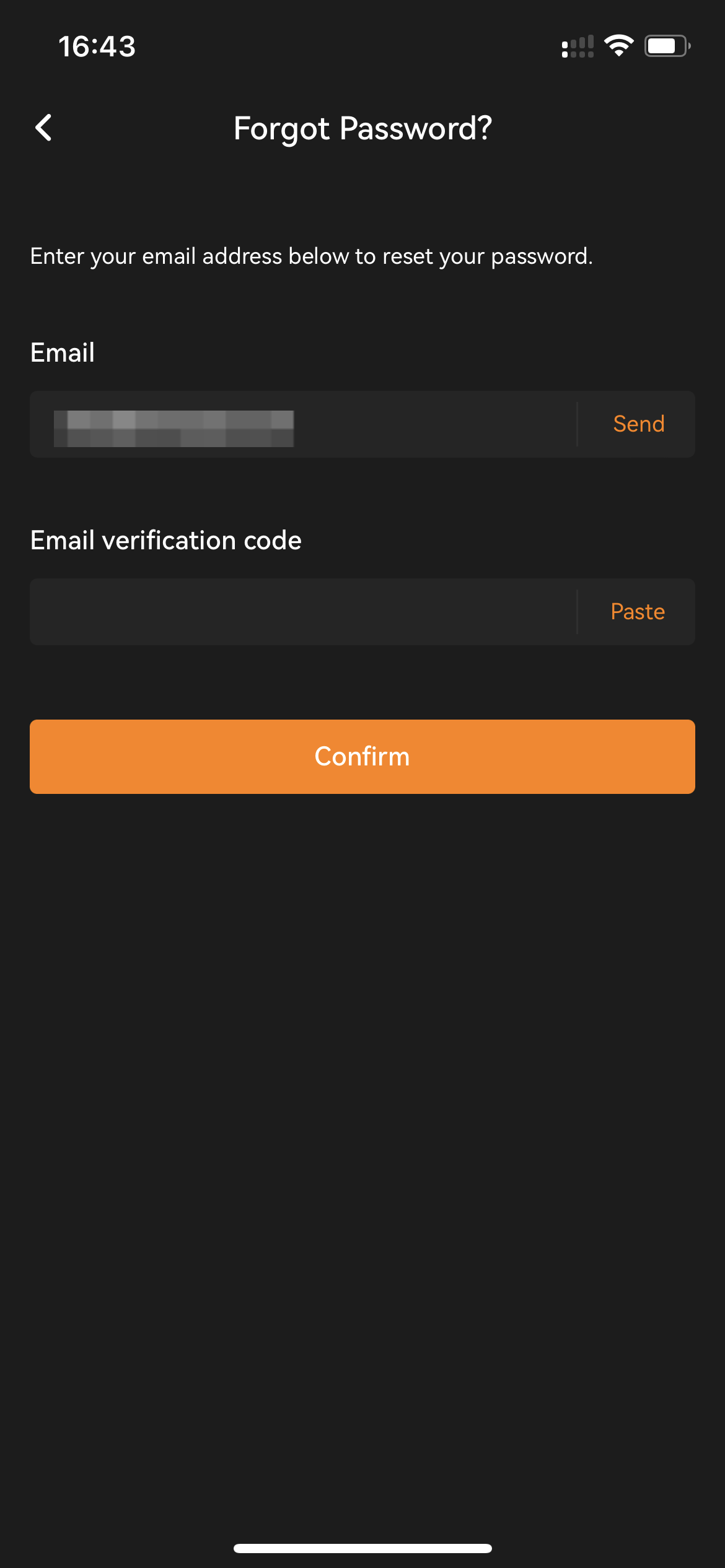
Step 3: Enter your account's registered email address and email verification code sent to your email address respectively. Click on 'Confirm' to proceed.
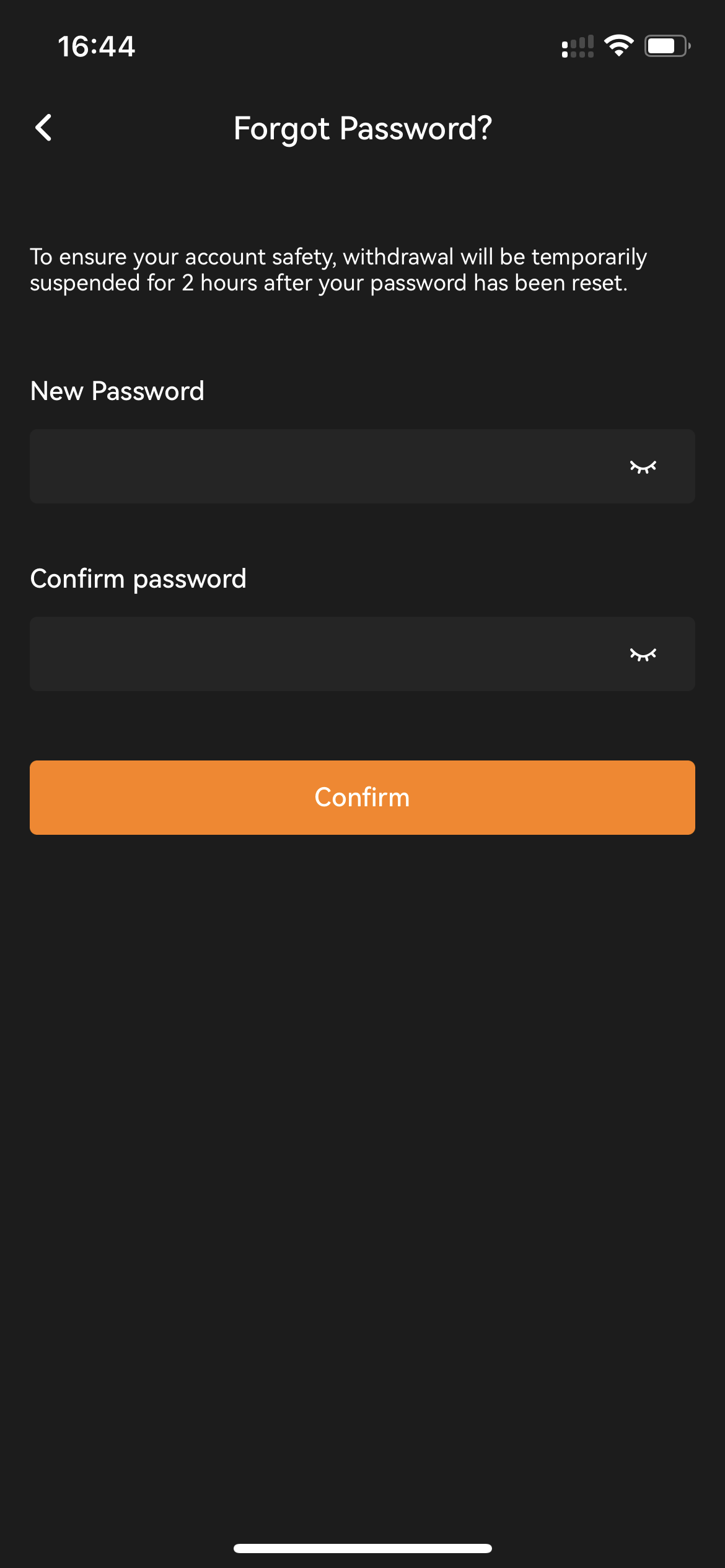
Step 4: Enter your new login password and click on 'Confirm' to proceed.
You have successfully reset your password. The APP will automatically redirect you to the login page.