Come ordinare velocemente sulla linea K
Aggiornato il 2026/09/16

OrangeX.com supporta lo scambio della linea K. Puoi emettere rapidamente Ordine Limit sul grafico.
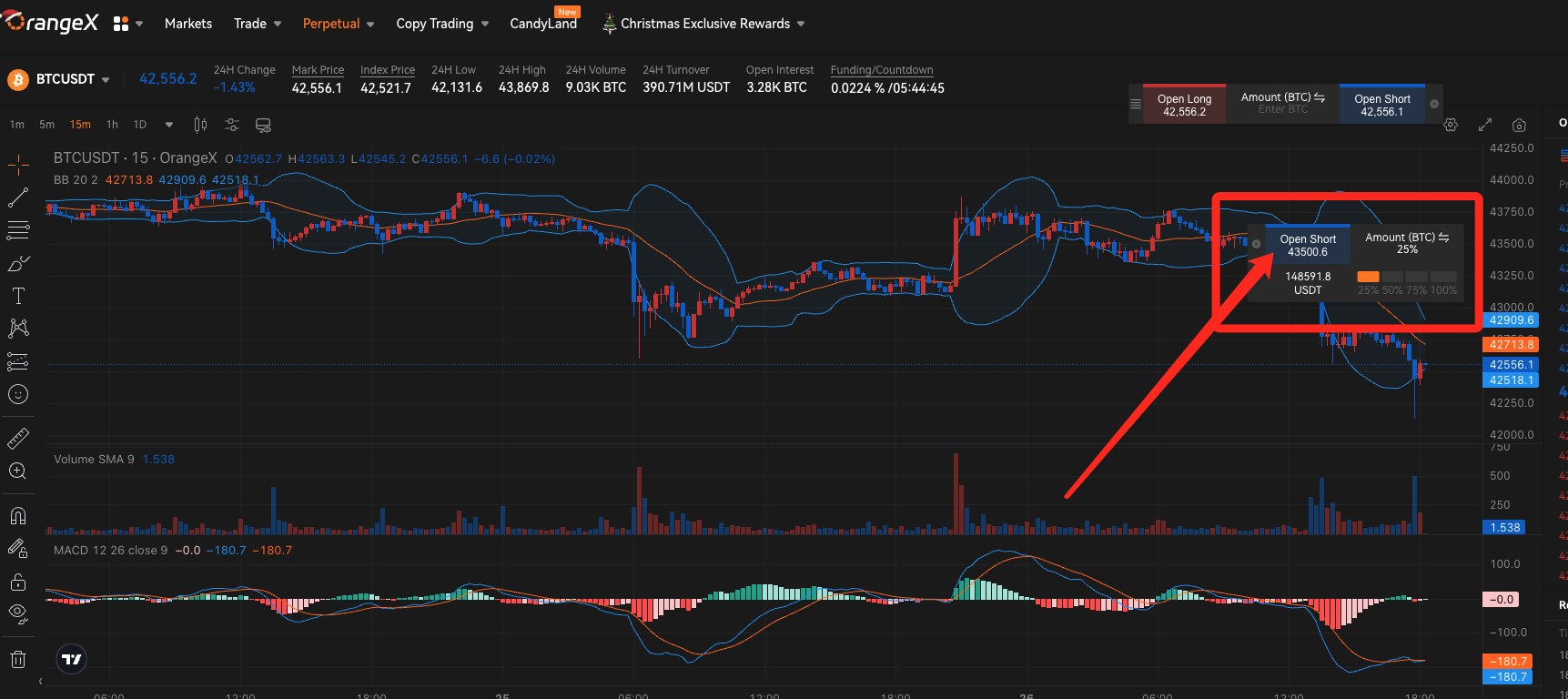
Ordine Limit veloce sulla linea K
Step 1: While moving the cursor, click on the "➕" next to the K line price and enter the amount or select the Posizione ratio.
Step 2: Click "Open Short" to order Ordine Limit at the displayed price.
OrangeX.com How to take profit/loss cut Ordine with the app
Step 1: Drag Posizione on the K line chart and set profit taking Ordine (TP) and stop loss Ordine (SL).
Step 2: Click "Create" and set TP/SL to Posizione.
How to change K line profit taking/loss cutting Ordine with OrangeX.com app
Step 1: Drag the profit take/loss cut Ordine on the K line chart.
Step 2: Click "Confirm" to change profit-taking/loss-cutting Ordine.