OrangeX.com allows you to set the margin mode for Perpetual contract trading. Either separated margin mode or Cross margin mode can be selected.
Two margin modes
In separate margin mode, Margin is limited to specific Position. You will determine the amount of funds allocated as collateral for a particular Position, and the remaining funds will not be affected by that particular transaction. Recommended for beginners and risk-averse traders who want to reduce risk and trade cautiously.
On the other hand, Cross margin mode uses all Account funds as collateral for the transaction. Even if one Position moves unfavorably, you can offset the loss if another Position makes a profit. As a result, it is better to hold Position for a long time, but it also increases the possibility of losing all your funds. Since Margin is managed as a whole, you can think more simply, but it tends to be high risk and high return.
How to set up on the website
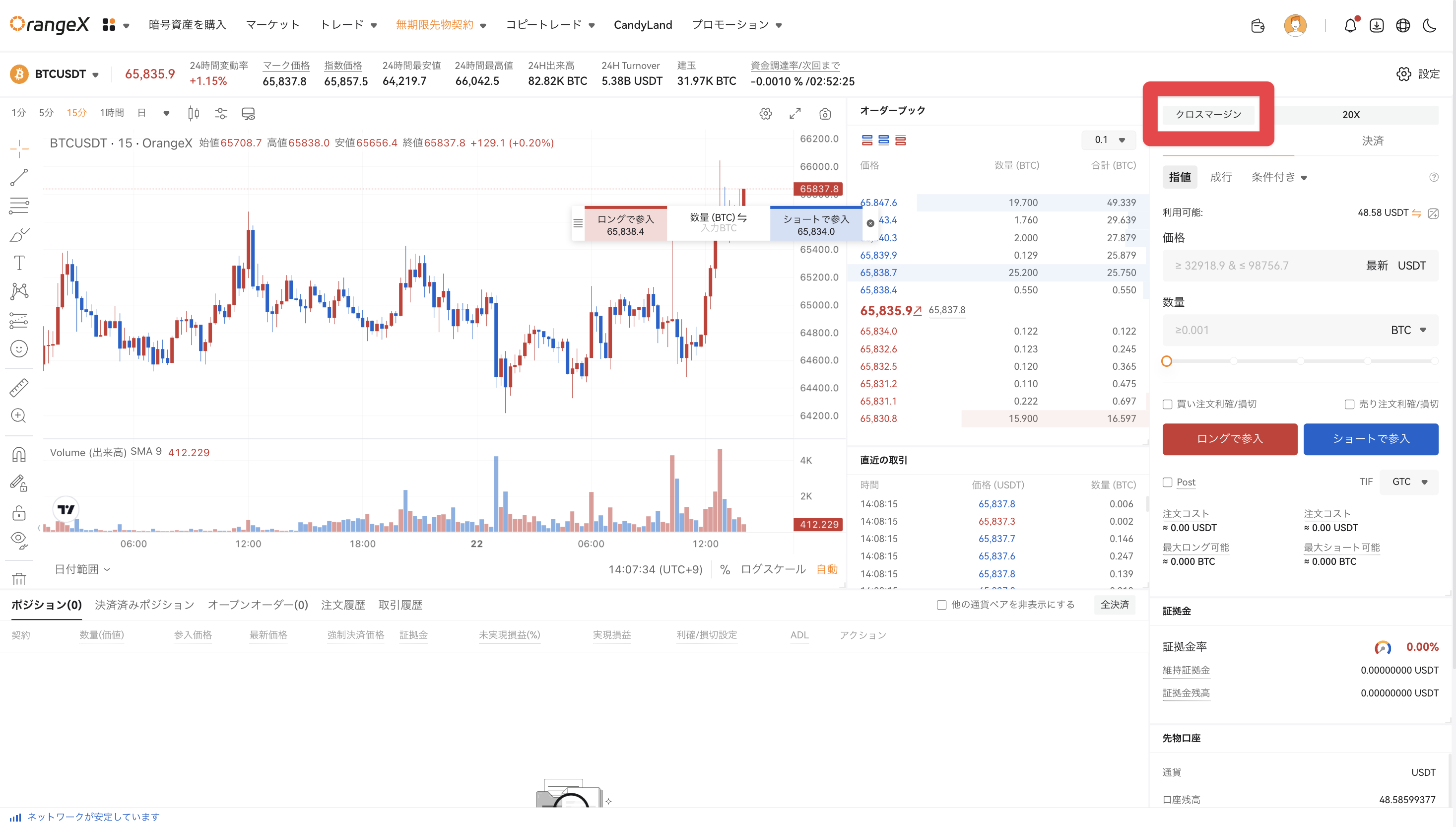
Please press the button labeled Cross margin/Separation Margin in the upper right corner of the futures contract screen.
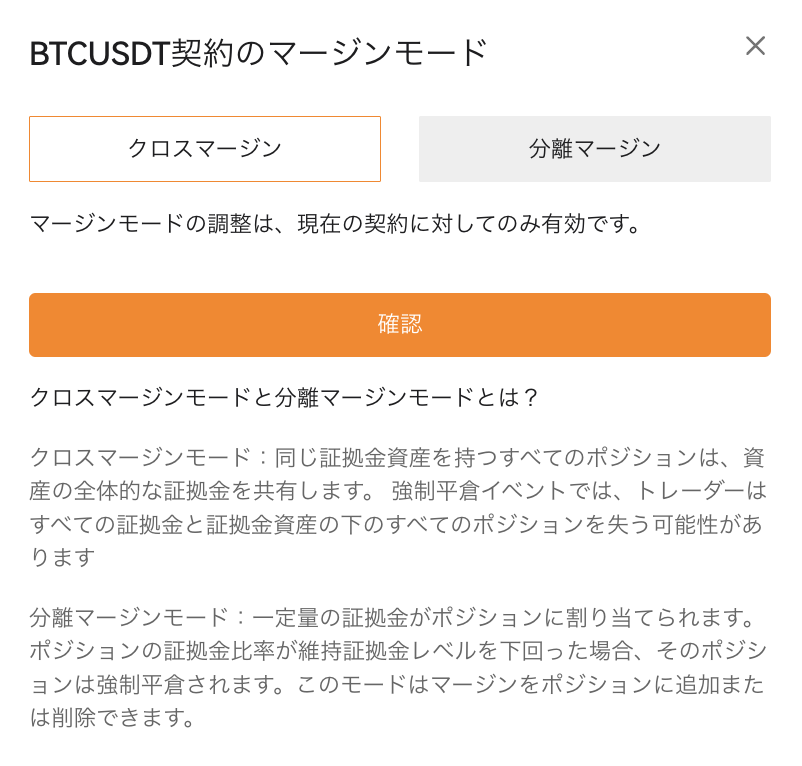
Make sure the currency pair is correct and select the desired margin mode.
app
① Move to the futures contract screen. Select "Cross" or "Separate" on the screen.
Make sure the currency pair is correct and select the desired margin mode.