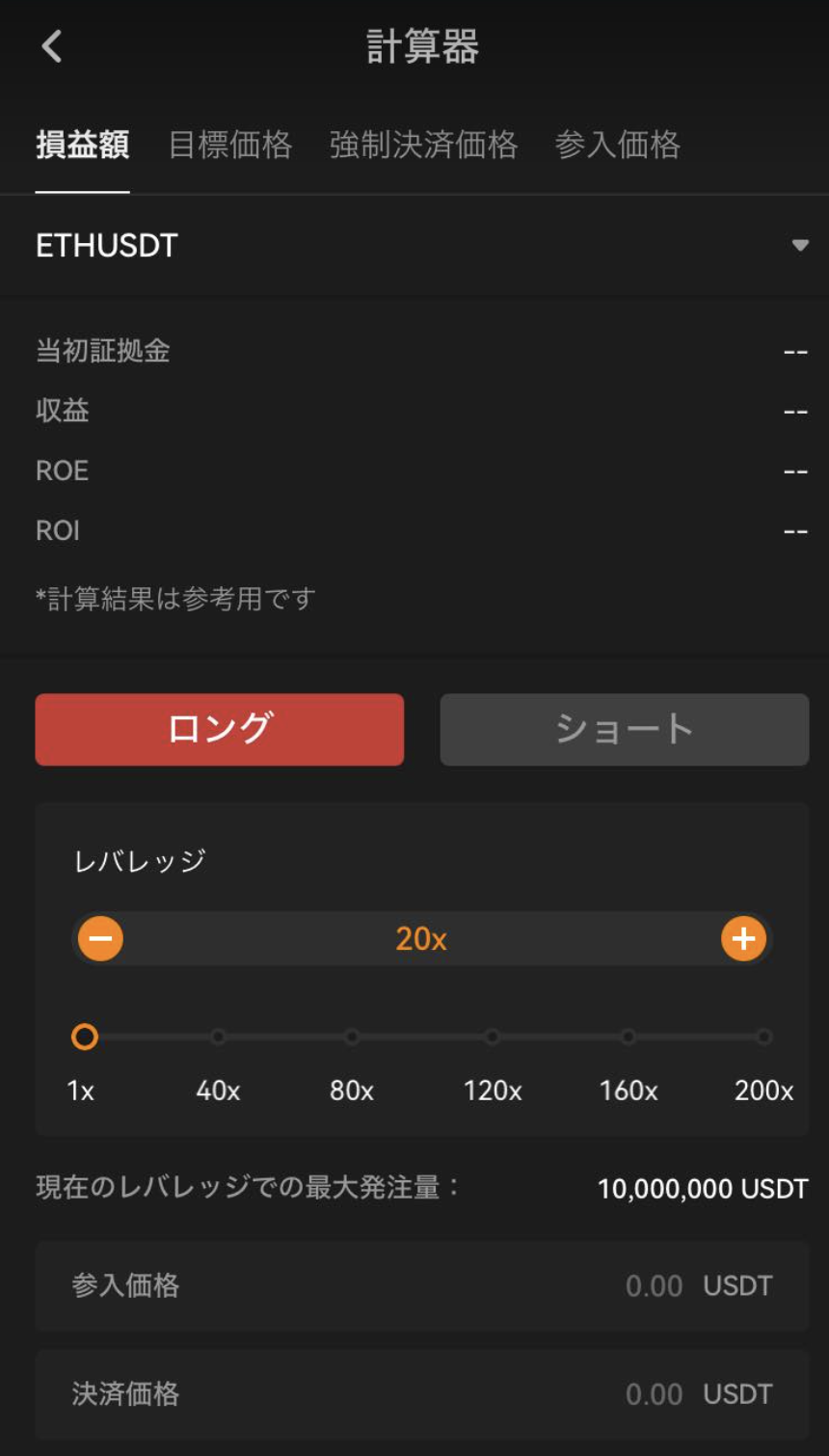
OrangeX.com also provides a multi-functional calculator that is useful for calculating profits.
For website
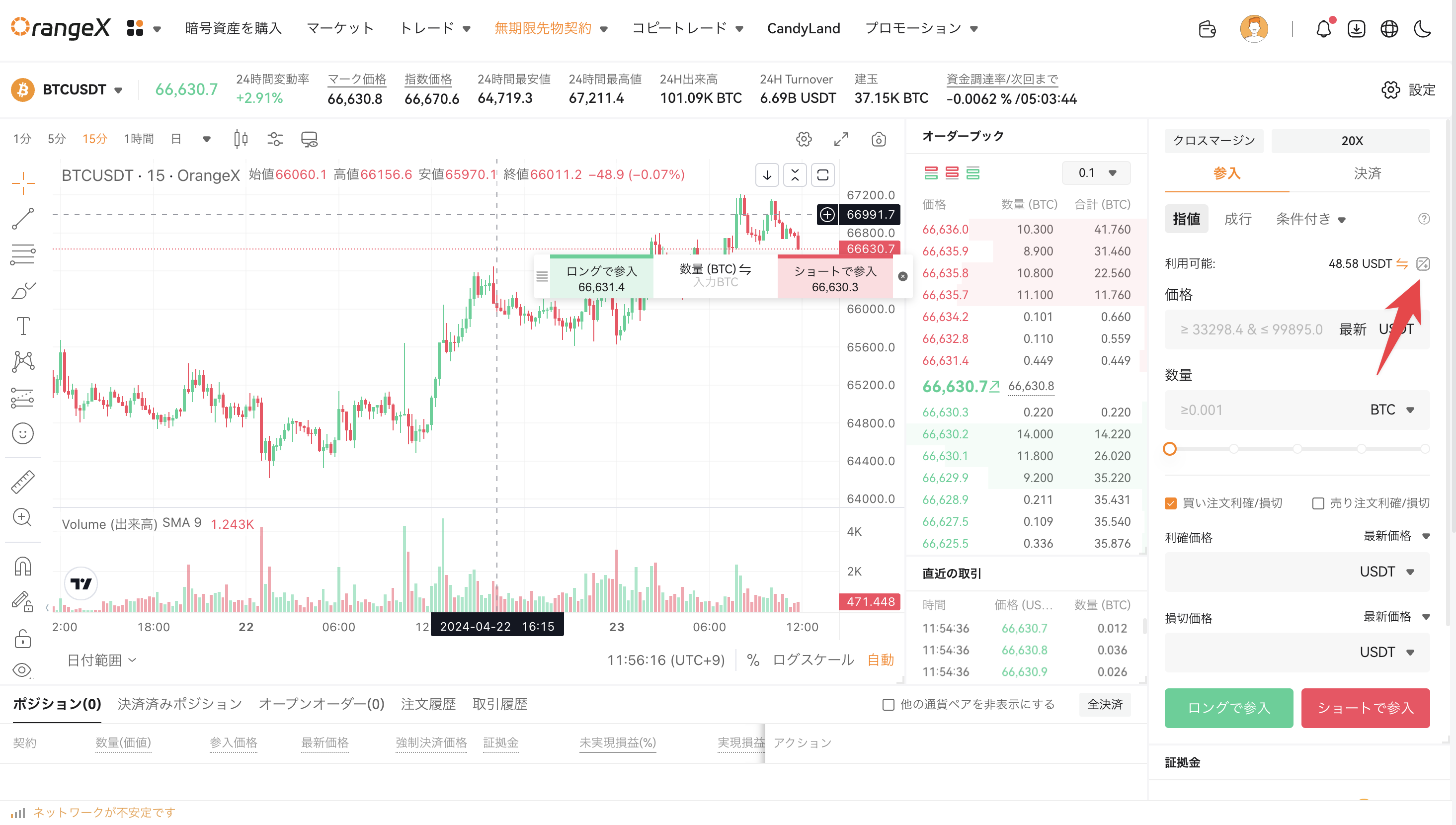
Let's first access the futures trading screen. On the website, you can access the transaction screen and launch it from the part pointed to by the arrow below.
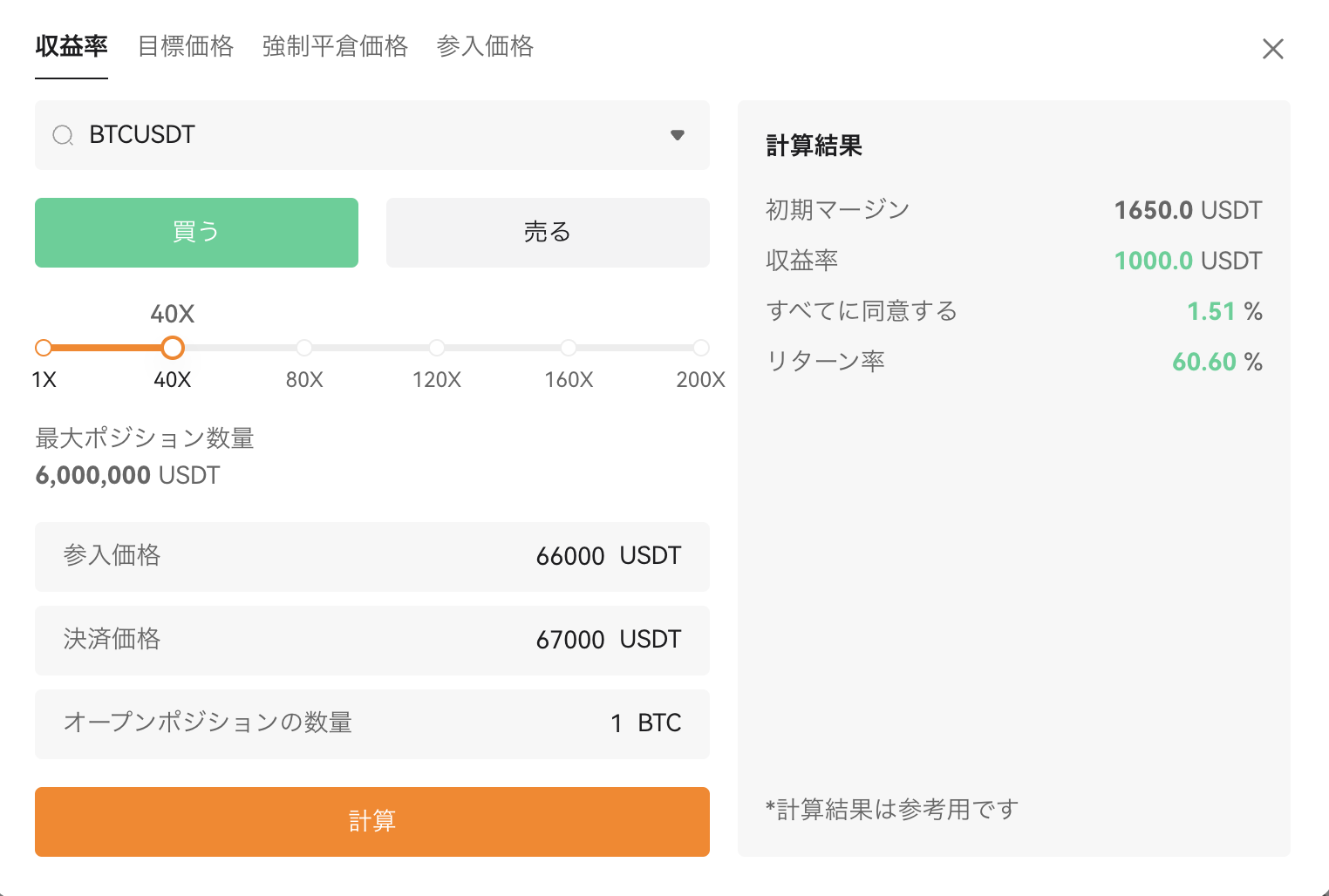
Select the item you want to calculate, enter the numerical value, and press the "Calculate" button to perform the calculation.
For
app
Let's first access the futures trading screen.Select "•••" at the top right of the screen.
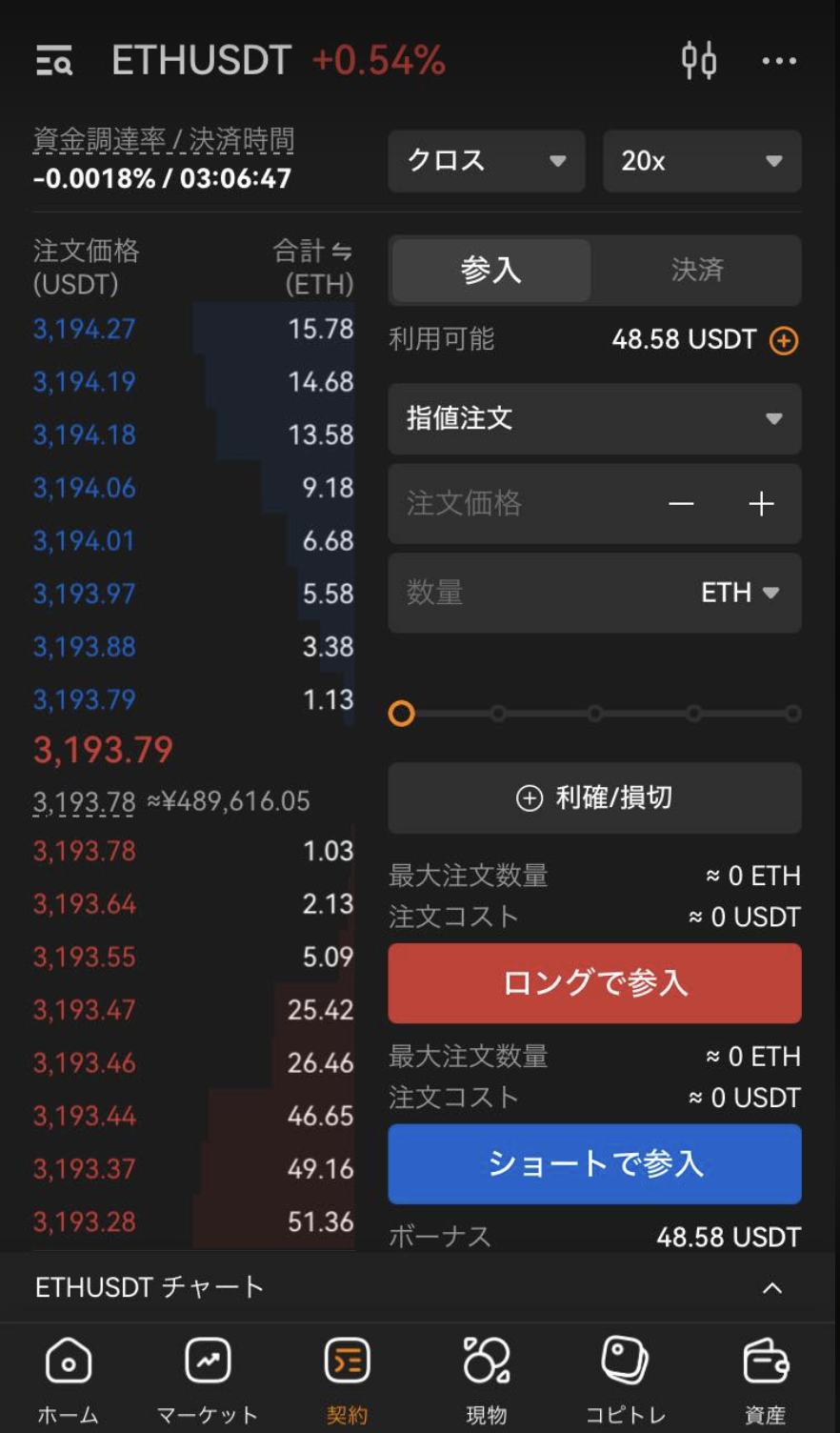
When you select "•••" at the top right of the screen, the following menu will appear from above. Select "Calculator".
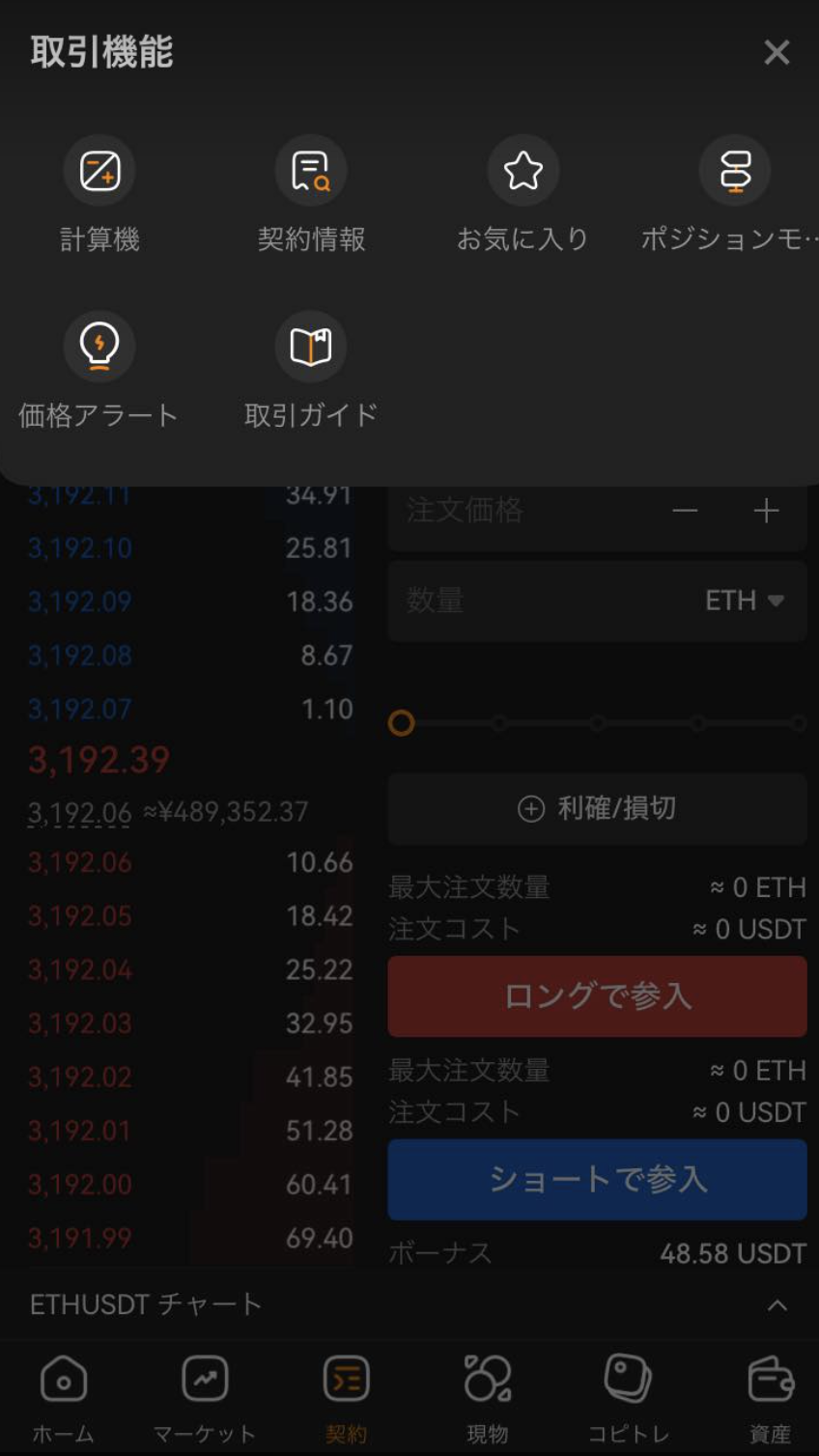
Select the item you want to calculate, enter the numerical value, and press the "Calculate" button to perform the calculation.