Automatic Leverage Adjustment
Updated on 2026/10/30
OrangeX.com is launching Automatic Leverage Adjustment for eligible perpetual contract orders. When an order pushes the maximum position notional value beyond the limit for the current leverage tier, the system can check whether a lower leverage tier can support the resulting position.
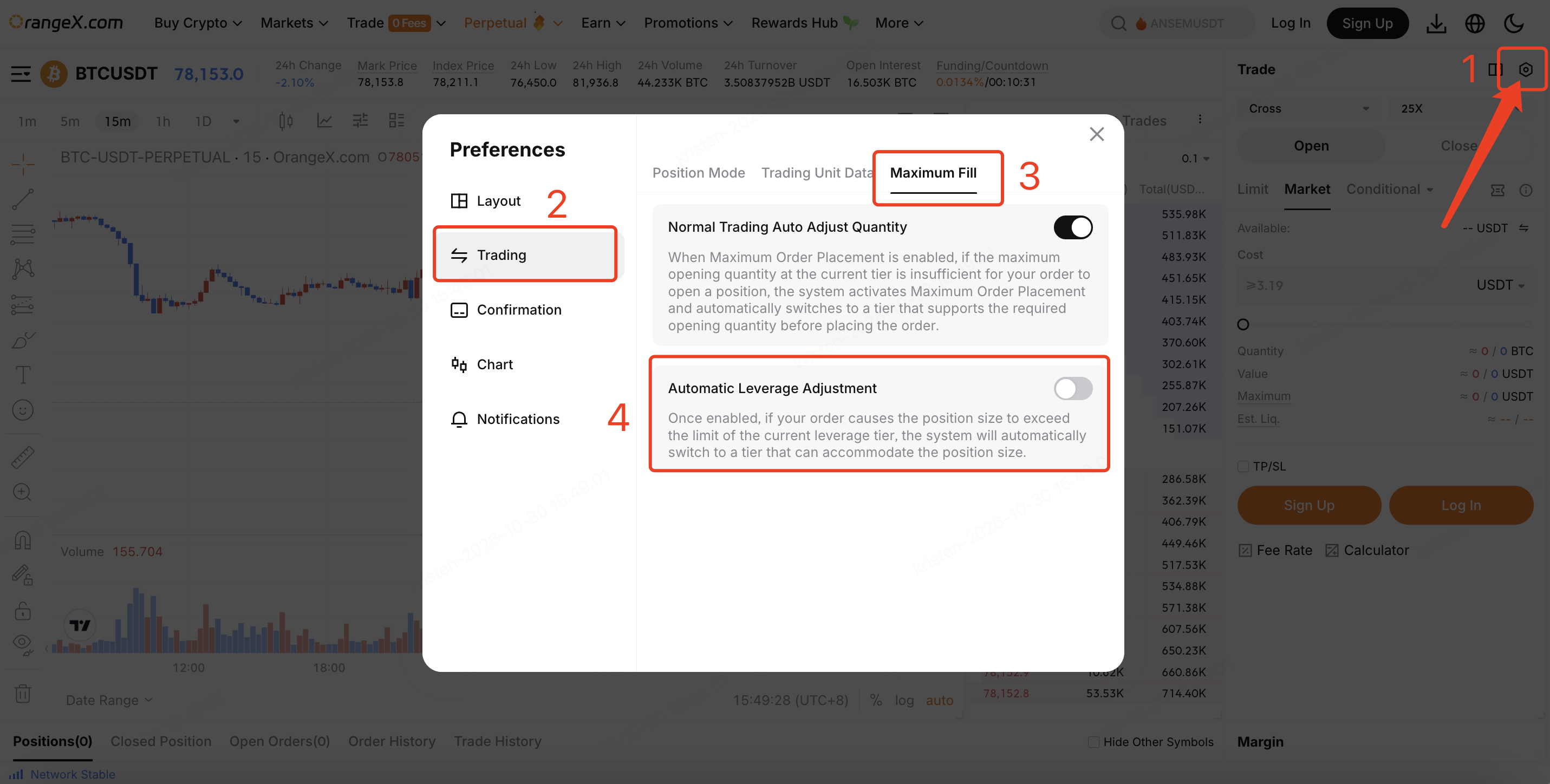
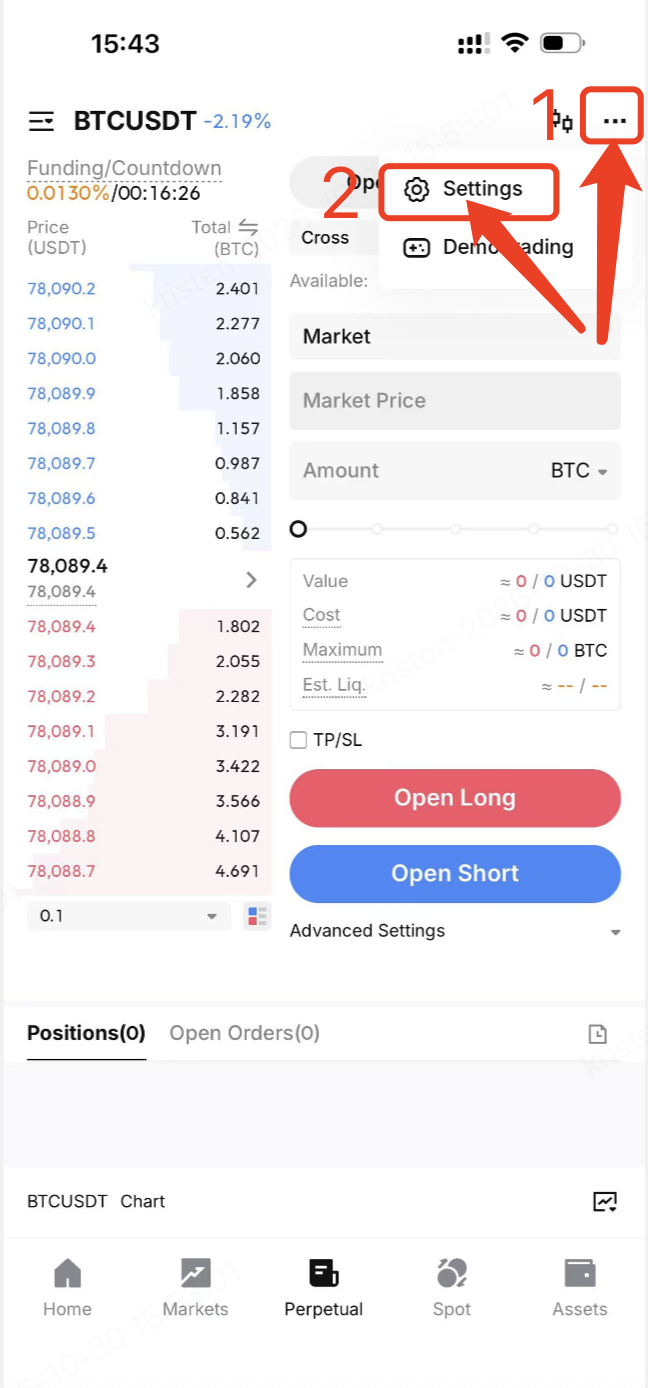
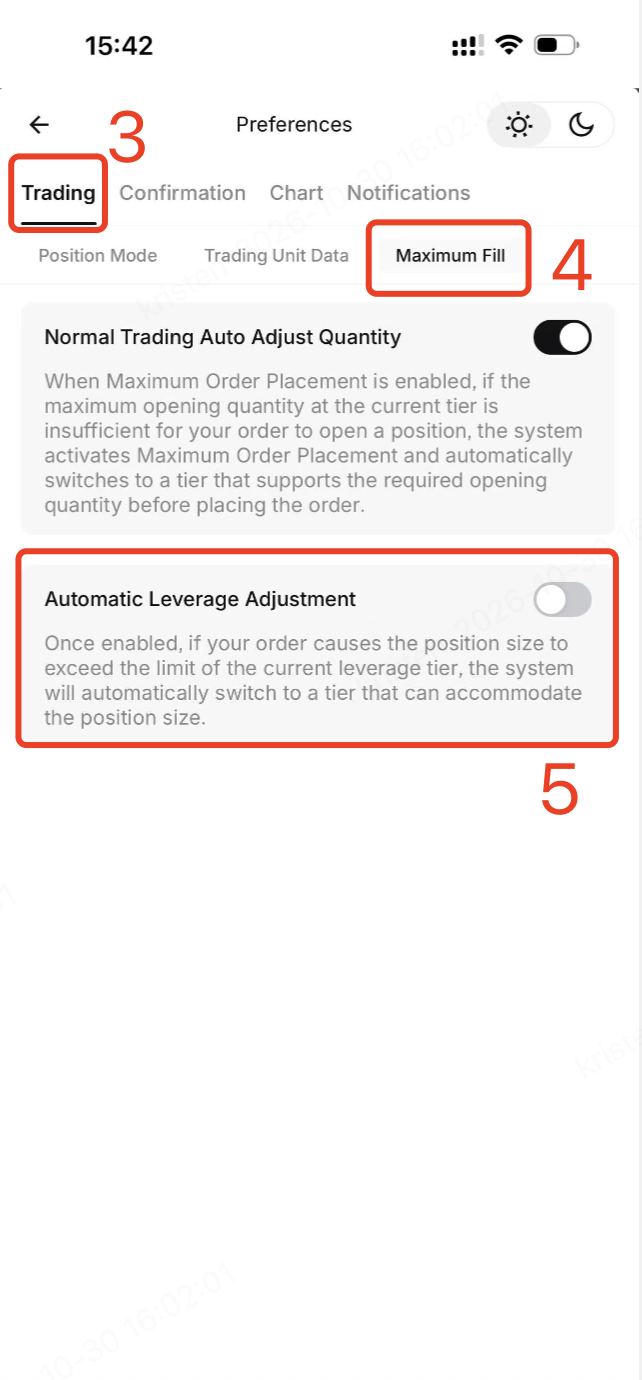
The feature is off by default. To enable it, go to Trading Settings → Trading → Maximum Fill → Automatic Leverage Adjustment:
Web:
App:
When the trigger conditions are met, a confirmation window appears before the order is processed. If you confirm, the system keeps your order quantity and checks eligible lower leverage tiers, available margin, and other existing rules. If a suitable tier passes all checks, the order continues at that lower leverage. A lower leverage may require more margin. If no eligible lower tier passes the checks, the order will still fail and the system will return the final failure reason.
After a successful order, refresh and review your position, leverage, and order status. Automatic leverage changes apply to the trading pair and direction involved.
Availability: Logged-in contract trading users on Web, iOS, and Android. Applies to isolated-margin sub-accounts, isolated margin, and cross margin; one-way and hedge modes. It applies to eligible input-based orders, including order placement and position-increasing actions.
FAQ
1. Why did I see the confirmation window?
Your order is expected to make the maximum position notional value for the current direction exceed the limit of the current leverage tier, and Automatic Leverage Tier Downgrade is enabled. The system asks whether you agree to a lower leverage.
2. Will the system reduce my order quantity?
No. The order is rechecked using the quantity you entered. The system adjusts the leverage tier, not the quantity.
3. Why did my order fail after I confirmed?
Confirmation allows the system to continue checking; it does not guarantee the order will succeed. The order can still fail if no eligible lower tier is available, available margin is insufficient, or another existing rule is not satisfied. The system returns the final failure reason.
4. What happens when the feature is off?
The existing behavior applies. The system will not automatically lower your actual leverage.
5. What should I check after an order succeeds?
Refresh the page or app and review your position, leverage, and order status. The leverage change applies to the relevant trading pair and direction.
Example
Suppose the current leverage is 100x, the existing position notional value is 499,000 USDT, and the new order adds 5,000 USDT. The resulting value is 504,000 USDT, above the 100x tier limit of 500,000 USDT. If 504,000 USDT falls in the 500,000–3,000,000 USDT tier, 75x is the highest leverage available for that notional value in this example. The system uses 75x as a candidate and then checks available margin and other existing rules. The order may still fail if those checks do not pass.
These tier limits and values are illustrative only; actual limits can vary by trading pair.