- Проверьте свой UID на PC:
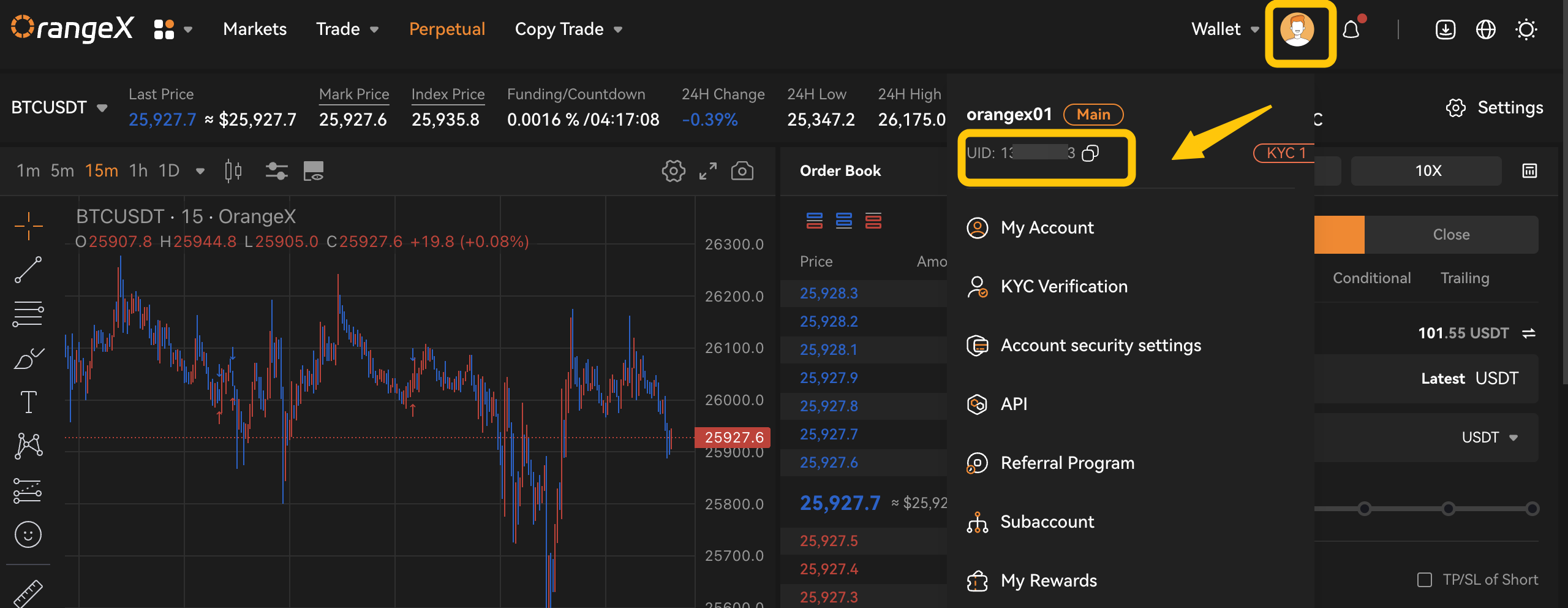
1. Нажмите значок Профиль в правом верхнем углу страницы, раскройте меню, и вы найдете свой Аккаунт UID.
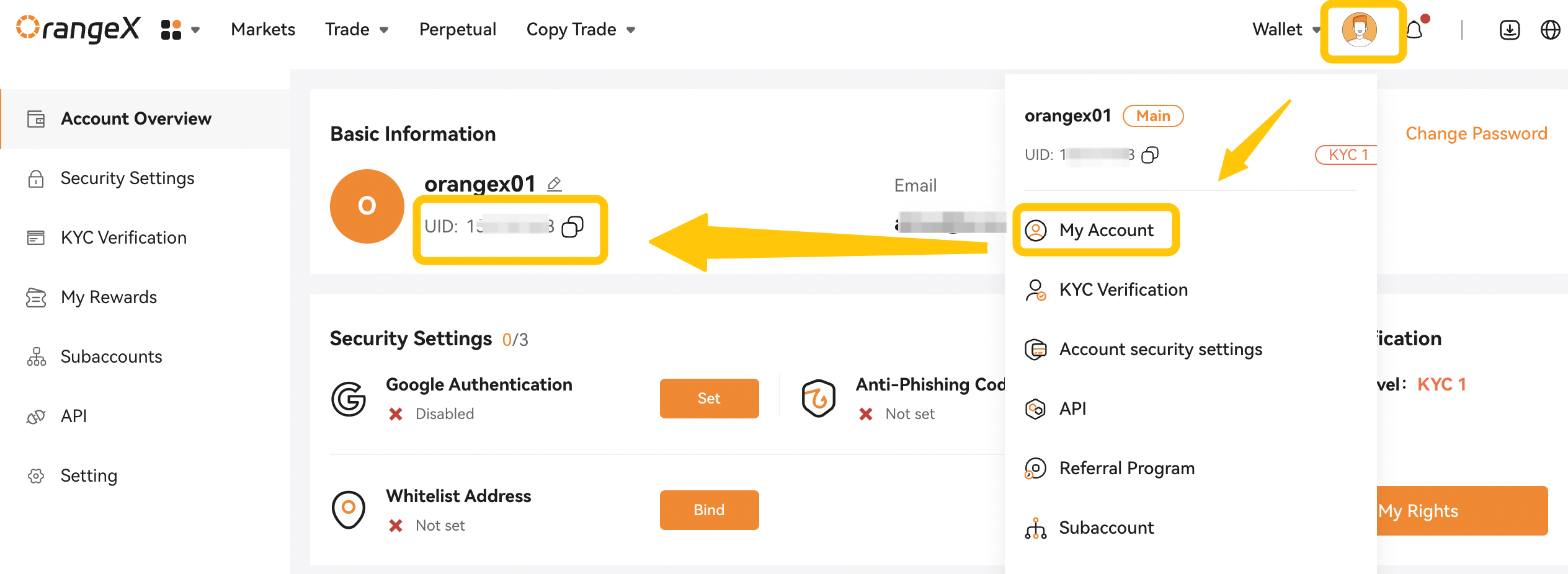
2. Нажмите [Мой Аккаунт] в раскрывающемся меню выше, вы найдете свой UID и дополнительную информацию о Аккаунт.
- Проверьте свой UID на APP:
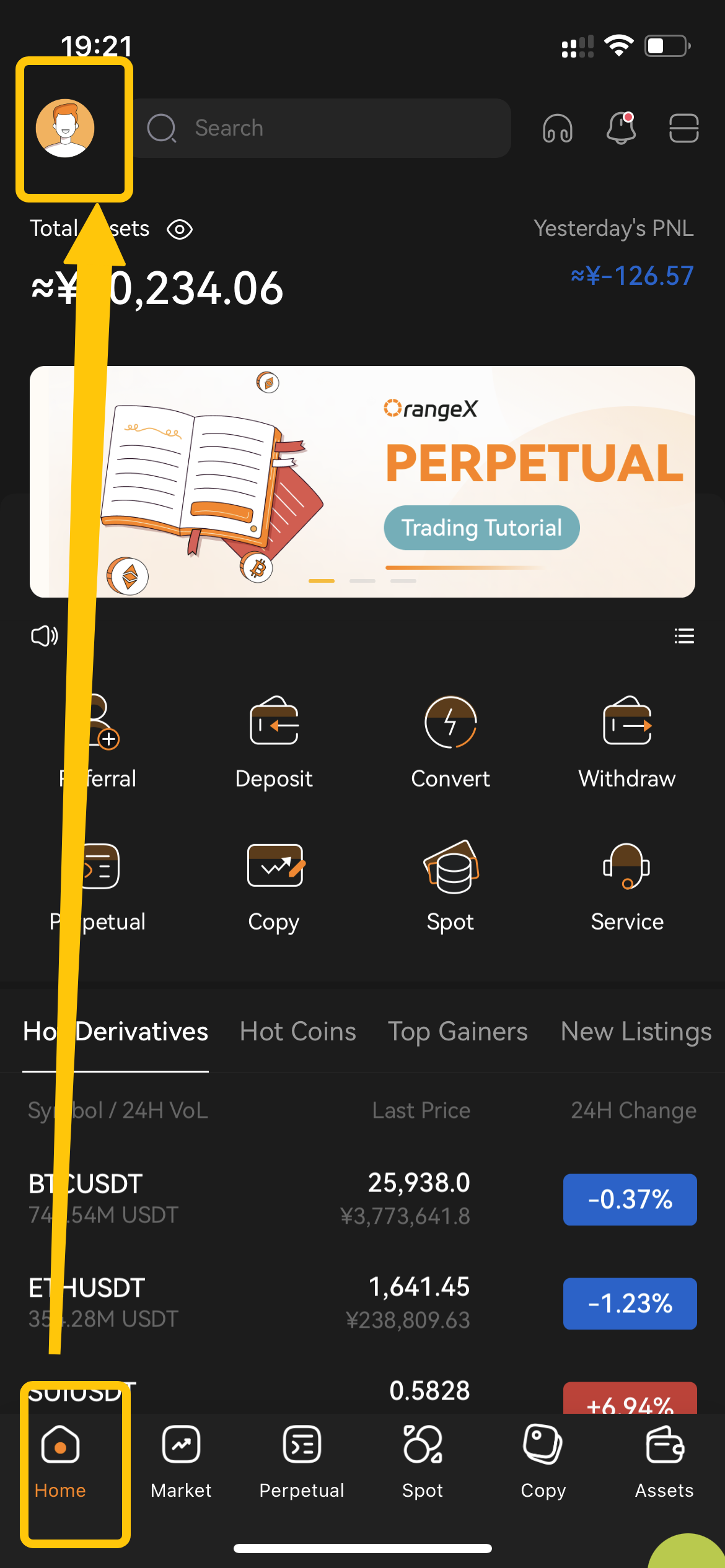
Шаг 1: Запустите приложение OrangeX.com, затем щелкните значок [Главная] и Профиль.
 .
.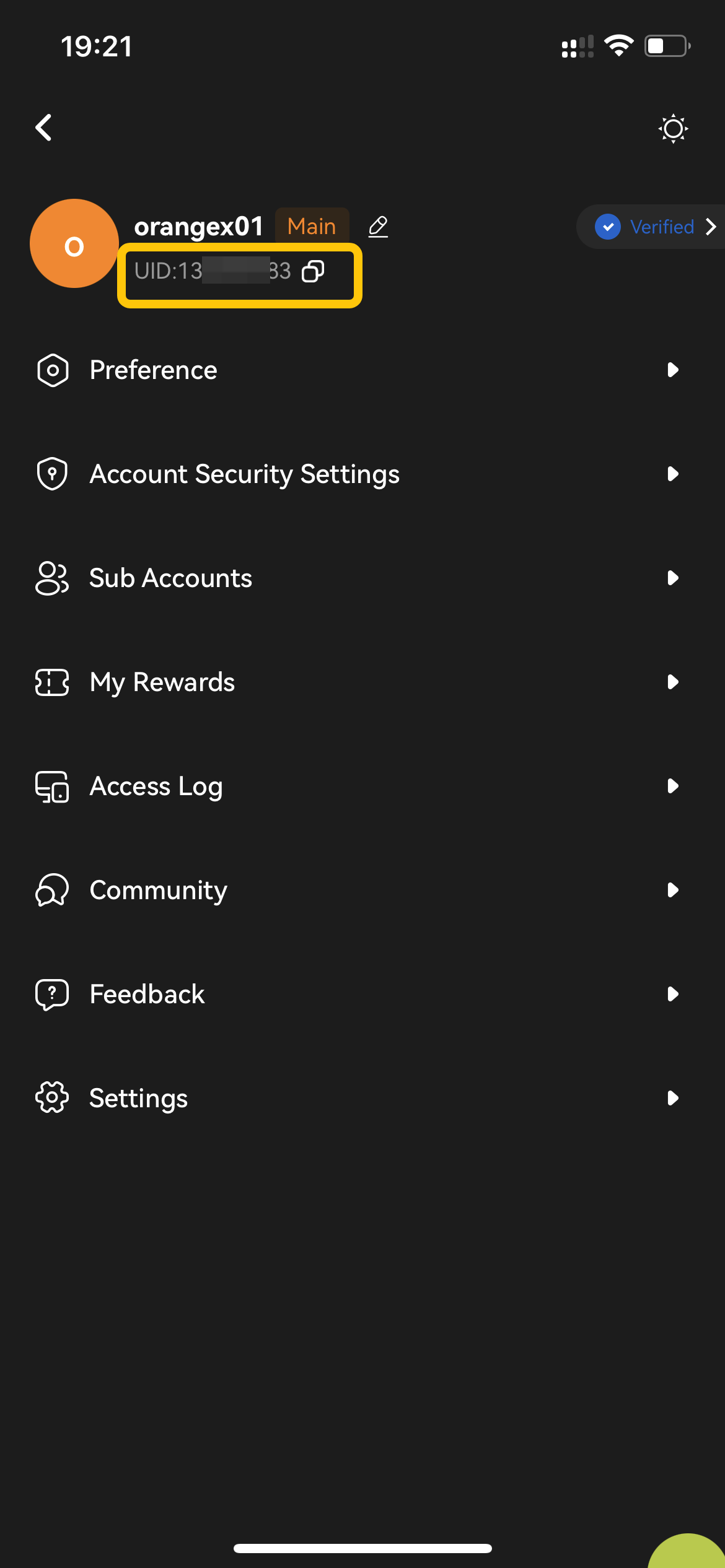
Шаг 2: Вы найдете свой UID вверху страницы Профиль.